SVG Export
de

SVGs von jeder Website ganz einfach herunterladen

Extrahiere und lade SVG-Icons und Illustrationen von jeder Website herunter. Perfekt für Designer und Entwickler, die schnellen Zugriff auf Vektorgrafiken brauchen.

Chrome Zu Chrome hinzufügen
4.5 (273 Bewertungen)

Beliebt bei 340,000+ Nutzern in Chrome, Firefox & Edge

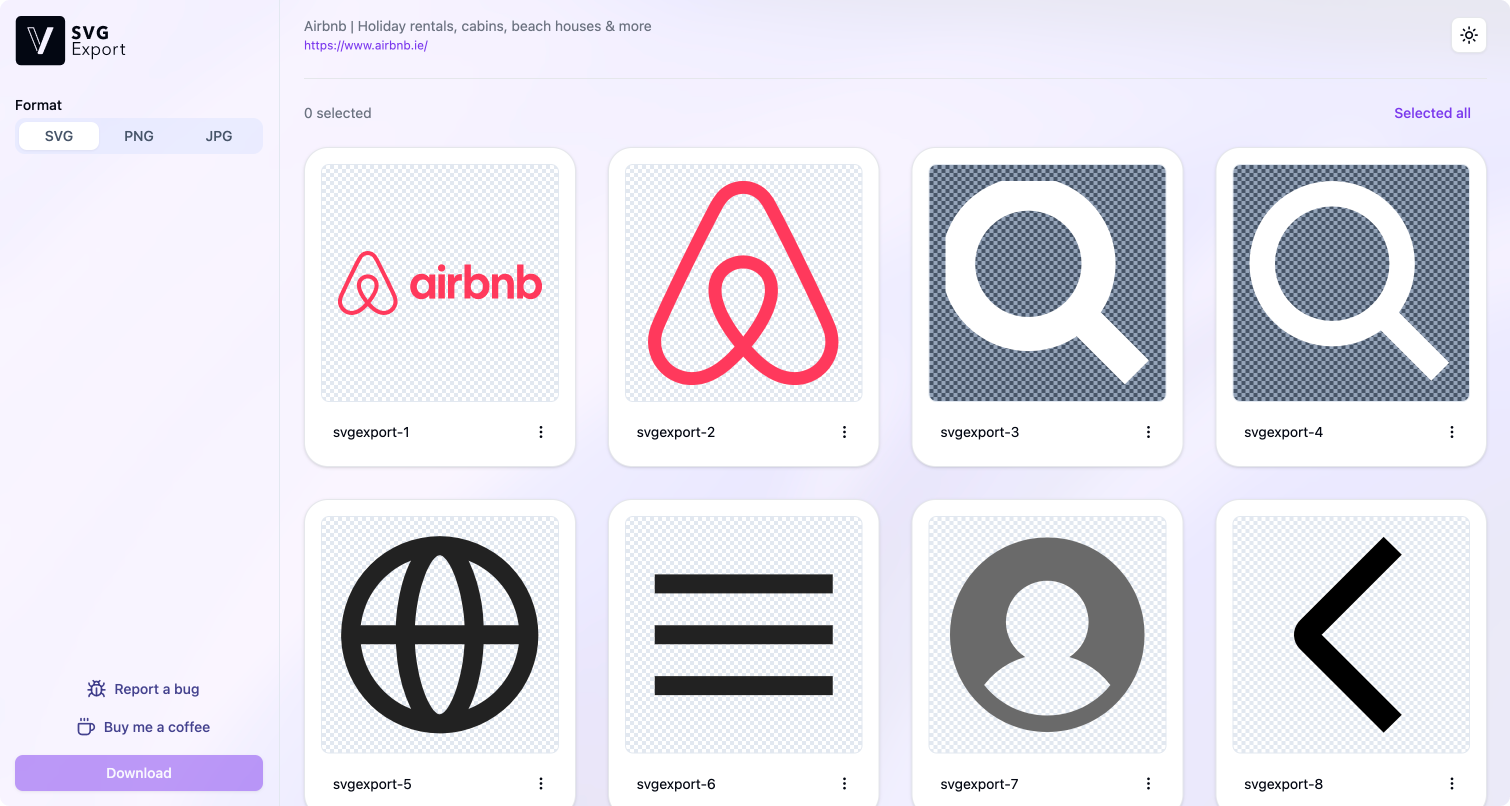
The SVG Export extension showing every SVG on a page

So funktioniert's

Sehen. Auswählen. Exportieren.

Schritt 01

Aktivieren & entdecken

Eine beliebige Website öffnen und SVG Export starten – jeder Vektor der Seite erscheint sofort.

Schritt 02

Umbenennen, skalieren & konvertieren

Format wählen – SVG, PNG oder JPG – und Grafiken umbenennen oder skalieren, noch bevor sie im Download-Ordner landen.

Schritt 03

Bulk-Export mit einem Klick

Die benötigten SVGs auswählen und gesammelt als sauberes ZIP herunterladen. Kein einzelnes Speichern mehr.

Starke Funktionen

Alles, um SVGs effizient zu extrahieren

Bulk-Export

Alles auswählen, alles herunterladen – jedes SVG der Seite in einem ZIP.

Freie Formatwahl

Export als SVG, PNG oder JPG – das Vektorformat ganz nach Bedarf.

Vor dem Export bearbeiten

Jede Grafik vor dem Speichern umbenennen, skalieren und in der Vorschau prüfen.

Inline-Styles

SVGs, die per externem CSS gestylt sind? Die Styles werden inline eingebettet, damit sie auch außerhalb der Seite korrekt aussehen.

In die Zwischenablage kopieren

SVG-Code sofort kopieren und direkt in Figma, Sketch oder den eigenen Code einfügen.

Pixelgenau

Verlustfreie Vektorextraktion. Was angezeigt wird, wird auch geliefert.

Hunderttausende Designer und Entwickler haben bereits Millionen von SVGs exportiert.

Nicht nur unser Wort zählt – das sagen die Nutzer.

"Absolutely superb and a massive time saver. Works perfectly and so intuitive. Keep up the great work mate!"

Warren O'Donoghue Warren O'Donoghue

"Truly the best extension for Google Chrome and the best extension for downloading SVG files. It has no bugs and has the best and smoothest user interface and UX. God bless the programmer."

SirDot SirDot

"This is great! I think I used it before but kind of forgot. I was trying to download an icon for one of my client's partners. So easy. I like that it shows all the SVGs in use and the ability to save as plain code."

Valerie Williams Valerie Williams

"Works perfectly to instantly grab SVGs from a website. You can even export those SVGs as SVG, PNG, or JPG! The super simple, easy-to-understand interface is a HUGE plus."

Nunya Biness Nunya Biness

"Great tool. Used just once as of now. Works as intended. Great design and not stuffed with ads."

Asif Iqbal Shaik Asif Iqbal Shaik

"Saves a graphic designer from such a hassle! I was looking for a logo of a startup for a graphic about the startup and couldn't find a file but only a path. But the extension made it as easy as it gets!"

Chris Hahn Chris Hahn

"Excellent tool! seamless! Highly recommended"

Craig Wayne Craig Wayne

"Wow! What a useful tool! I'm bluffed with this SVG export tool, I passed so much time fetching SVG from Google Images before"

Bertrand Choubert Bertrand Choubert

"Probably the most perfect extension"

Isaac Oyeniyi Isaac Oyeniyi

"Absolutely perfect for my use"

Joel Eade Joel Eade

"Great extension! It works perfectly as promised. Congratulations to the creators."

Cristiano Soares Cristiano Soares

"Absolutely amazing and useful! works like a charm!"

Aman Saurav Aman Saurav

"Absolutely superb and a massive time saver. Works perfectly and so intuitive. Keep up the great work mate!"

Warren O'Donoghue Warren O'Donoghue

"Truly the best extension for Google Chrome and the best extension for downloading SVG files. It has no bugs and has the best and smoothest user interface and UX. God bless the programmer."

SirDot SirDot

"This is great! I think I used it before but kind of forgot. I was trying to download an icon for one of my client's partners. So easy. I like that it shows all the SVGs in use and the ability to save as plain code."

Valerie Williams Valerie Williams

"Works perfectly to instantly grab SVGs from a website. You can even export those SVGs as SVG, PNG, or JPG! The super simple, easy-to-understand interface is a HUGE plus."

Nunya Biness Nunya Biness

"Great tool. Used just once as of now. Works as intended. Great design and not stuffed with ads."

Asif Iqbal Shaik Asif Iqbal Shaik

"Saves a graphic designer from such a hassle! I was looking for a logo of a startup for a graphic about the startup and couldn't find a file but only a path. But the extension made it as easy as it gets!"

Chris Hahn Chris Hahn

"Excellent tool! seamless! Highly recommended"

Craig Wayne Craig Wayne

"Wow! What a useful tool! I'm bluffed with this SVG export tool, I passed so much time fetching SVG from Google Images before"

Bertrand Choubert Bertrand Choubert

"Probably the most perfect extension"

Isaac Oyeniyi Isaac Oyeniyi

"Absolutely perfect for my use"

Joel Eade Joel Eade

"Great extension! It works perfectly as promised. Congratulations to the creators."

Cristiano Soares Cristiano Soares

"Absolutely amazing and useful! works like a charm!"

Aman Saurav Aman Saurav
"Fantastic! brilliant extension. First time i've been compelled to write a review of an extension, but a lifesaver."

Ashley Ford Ashley Ford

"Absolutely perfect design and ease of use and functionality. Needed a logo from a client's logo quickly for a design, but was without access to the proper file while away. This Chrome extension solved the problem instantaneously."

Michael Whitlock Michael Whitlock

"Saves a lot of time, love it. Especially the figma copy and paste svg code feature."

Rodolphe Ponroy Rodolphe Ponroy

"This extension is a GAME CHANGER. I absolutely love it. It makes getting icons for my Stream Deck SO much easier."

Stephan Knotek Stephan Knotek

"This works very well. I have no changes to suggest."

Drew Innis Drew Innis

"A perfect Chrome extension - does exactly what I need - allows me to select and downloads SVGs. Thank you!"

P Roper P Roper

"God bless whoever did this extension! Life savior"

Luiz Gustavo Luiz Gustavo

"Brilliant extension. For those who are confused about how it works, just click the extension icon when you are on a page with SVGs. A new tab will then open with all files which can be downloaded with a single click."

Gecho Agency Gecho Agency

"Very good extension, does what it says with a beautiful interface :)"

Mihai Ghețu Mihai Ghețu

"Works as advertised."

Brenden Brenden

"this is good it works"

Sarah Brown Sarah Brown

"Works like a charm!"

Randall Hall II Randall Hall II

"Fantastic! brilliant extension. First time i've been compelled to write a review of an extension, but a lifesaver."

Ashley Ford Ashley Ford

"Absolutely perfect design and ease of use and functionality. Needed a logo from a client's logo quickly for a design, but was without access to the proper file while away. This Chrome extension solved the problem instantaneously."

Michael Whitlock Michael Whitlock

"Saves a lot of time, love it. Especially the figma copy and paste svg code feature."

Rodolphe Ponroy Rodolphe Ponroy

"This extension is a GAME CHANGER. I absolutely love it. It makes getting icons for my Stream Deck SO much easier."

Stephan Knotek Stephan Knotek

"This works very well. I have no changes to suggest."

Drew Innis Drew Innis

"A perfect Chrome extension - does exactly what I need - allows me to select and downloads SVGs. Thank you!"

P Roper P Roper

"God bless whoever did this extension! Life savior"

Luiz Gustavo Luiz Gustavo

"Brilliant extension. For those who are confused about how it works, just click the extension icon when you are on a page with SVGs. A new tab will then open with all files which can be downloaded with a single click."

Gecho Agency Gecho Agency

"Very good extension, does what it says with a beautiful interface :)"

Mihai Ghețu Mihai Ghețu

"Works as advertised."

Brenden Brenden

"this is good it works"

Sarah Brown Sarah Brown

"Works like a charm!"

Randall Hall II Randall Hall II

Häufig gestellte Fragen

Wie lade ich ein SVG von einer Website herunter?
Die SVG Export-Erweiterung installieren, eine beliebige Website öffnen und auf das Symbol klicken – es listet jedes SVG auf der Seite auf, sodass sich die gewünschten herunterladen lassen. Manuelle Alternativen zeigt unsere Anleitung zum Herunterladen von SVGs von jeder Website.
Ist SVG Export kostenlos?
Ja. SVG Export ist völlig kostenlos – ohne Konto, ohne Anmeldung und ohne Werbung.
Welche Browser werden unterstützt?
SVG Export ist verfügbar für Chrome (sowie Chromium-Browser wie Brave und Arc), Firefox und Microsoft Edge.
Kann ich alle SVGs einer Seite auf einmal herunterladen?
Ja. Die benötigten SVGs auswählen und gemeinsam als einzelnes ZIP herunterladen – kein einzelnes Speichern nötig.
Kann ich SVGs in PNG oder JPG umwandeln?
Ja. Jedes SVG lässt sich als SVG, PNG oder JPG in beliebiger Auflösung exportieren. Mehr dazu in unserer Anleitung zum Umwandeln von SVG in PNG.
Warum wird mein SVG als HTML-Datei heruntergeladen?
Das passiert bei „Speichern unter“ auf einem Inline-SVG – der Browser speichert das umgebende Seitengerüst statt des Vektors. SVG Export extrahiert das SVG selbst, sodass immer eine saubere .svg-Datei entsteht.

In Sekunden mit dem Exportieren starten

Kostenlos. Kein Konto. Keine Einrichtung. Einfach Browser wählen und loslegen.

Chrome

Chrome

Verfügbar für Chrome und Chromium-basierte Browser.

Zu Chrome hinzufügen
Firefox

Firefox

Voller Support für Firefox auf dem Desktop.

Zu Firefox hinzufügen
Edge

Edge

Native Unterstützung für Microsoft Edge.

Zu Edge hinzufügen